Why record an appointment
It’s hard to listen, ask questions and write at the same time, especially when you’re caring for someone else, or when the news is hard to hear. Afterwards, family members ask what the doctor said, and everyone remembers it a little differently. A recording, with permission, means you can go back to the doctor’s own words.
Ask first
Before every recording, Recapvo shows a consent card or reads a short notice aloud, and saves who agreed and when. Ask the clinician before you start; if they’d rather you didn’t record, don’t.
During the visit
- A doctor-visit template shapes the notes around what was discussed and what happens next.
- Mark what matters. One tap marks an instruction as important, so it’s easy to find.
- Park a question. Didn’t get to it? Park it, and it comes back in the brief before your next visit.
- Large captions help a parent who is hard of hearing follow along. Replay the last 10 seconds to headphones without stopping.
- Captions can be translated on the device for a relative who speaks another language. Machine translation can be wrong, so ask the clinic for an interpreter for anything important.
After the visit
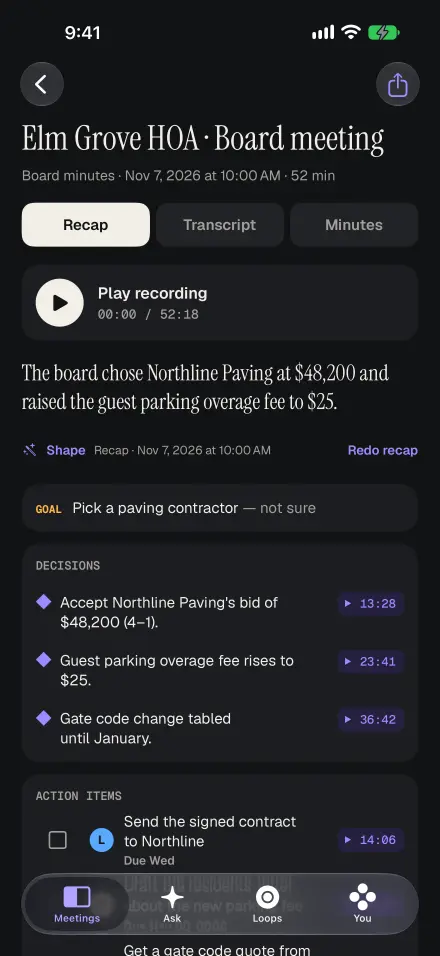
You get a summary and the follow-ups, such as booking a scan or picking up a prescription, with dates where they were said. They go to Open loops, and you can send them to Reminders.
Ask later: “What did she say about the side effects?” The answer cites the moment, and you can play the doctor’s own words instead of relying on a summary. Share the notes with family as an email or a PDF, or share one exact moment as a short clip.
Private by default
The audio stays on your iPhone. Transcription runs on the device, and only the transcript text is sent when you ask for a summary or a question. There is no account, and Face ID can lock the app.
Recapvo helps you remember what was said. It doesn’t give medical advice, interpret results or replace your care team, and it isn’t a medical record. AI summaries can be wrong: check anything important against the recording and with your clinician.
Screens show the real app with example data.