For the pew and for the circle of chairs
Some weeks a sermon lands, and by Wednesday you can’t remember the third point. In a small group, the best part of the evening is often something someone said in passing. Recapvo keeps both, so you can come back to them.
During the sermon
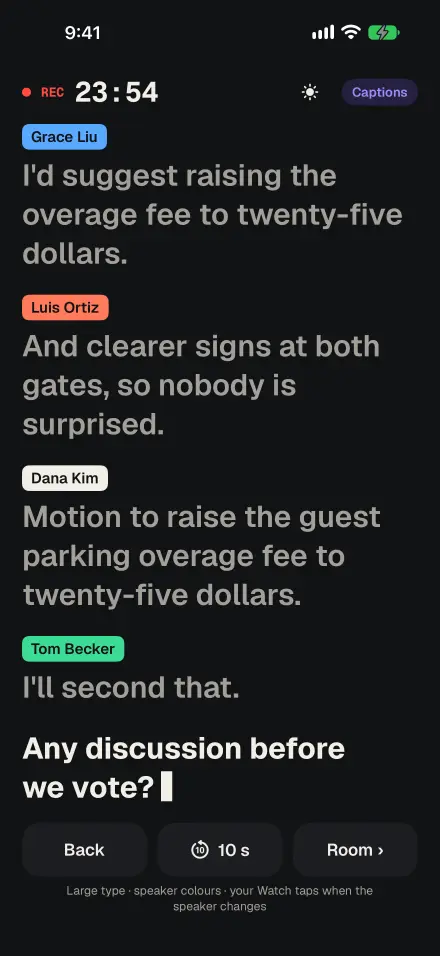
- Captions in large type for anyone who is hard of hearing, with the last 10 seconds a tap away.
- Translated captions on the device for members who follow better in another language.
- Snap the slide with the passage or the outline; the photo is pinned to that moment and its text becomes searchable.
- Mark a moment that you want to come back to, with one tap on your iPhone or Apple Watch.
After: notes that point back to the words
The sermon template turns the recording into notes, and every point links to the moment in the audio. The transcript reads clean, and the exact words are one tap away.
Months later, ask: “What did the pastor say about forgiveness?” Recapvo answers from your recordings and cites the moments, so you hear it again in the speaker’s own words.
Small groups and Bible studies
A small group template keeps track of the discussion and of what people offered to do: bring a meal, send the reading plan, call someone this week. Those become open loops with dates, and the brief before the next gathering shows what’s still open.
Small groups share personal things, so consent matters. Recapvo shows a consent card or reads a notice before every recording and saves who agreed. Voice Names remembers a voice only when you choose to, and you can forget it in one tap. Anything you want to keep to yourself can go in a private side note that never appears in anything you share.
For church leaders too
The same app drafts formal minutes for church boards and committees, with motions and votes, and exports them to Word or PDF.
Private by default
Audio stays on your iPhone. Transcription and search run on the device, and only transcript text is sent when you ask for a summary or a question.
Ask before you record. Many churches welcome personal note-taking, but practices differ, and small-group members should always know a recording is running.
Screens show the real app with example data.