Stop choosing between listening and typing
In a fast lecture you either listen or you write, and whichever you pick, you miss something. Recapvo records the whole lecture so you can actually follow the argument, and turns it into notes afterwards.
In the lecture hall
- Records the whole class. Hours with the screen locked, no length limit, saved every five seconds so a crash or a dead battery can’t take it.
- Live captions. Large type you can read at a glance, and a button to replay the last 10 seconds without stopping the recording.
- Snap the slides or the board. The photo is pinned to the moment it was taken, and its text is read on your iPhone and becomes searchable.
- Mark what matters. One tap marks a moment as important, from your iPhone or Apple Watch, so “this will be on the exam” is easy to find later.
After class: notes that point back to the lecture
The lecture template turns the transcript into notes, and every point links to its moment in the recording. The transcript reads clean, without the ums and false starts, and the verbatim words are always one tap away. Play back at 1.5× or 2×, skip silence, or tap any word to hear it.
Export to Markdown for your notes app, or to PDF, Word, plain text or SRT subtitles.
Ask your lectures
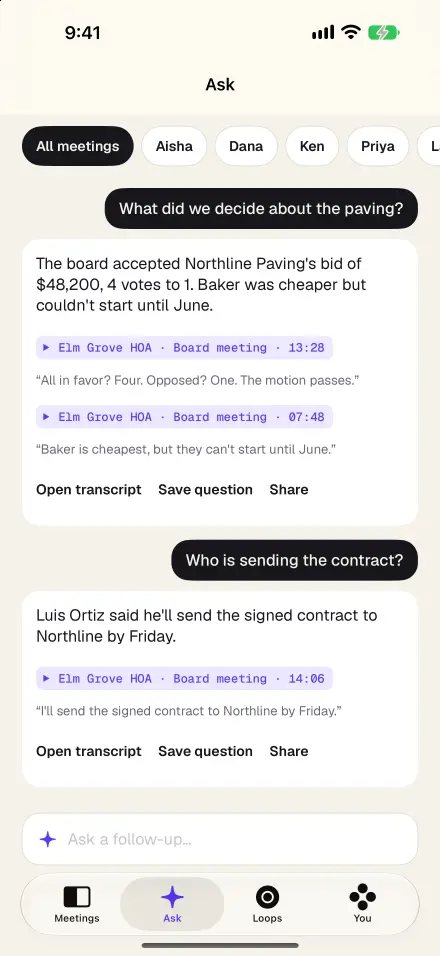
Ask in plain English: “What did she say the midterm covers?” or “Where did he explain the second example?” Answers come only from your recordings and cite the exact moments; tap a citation to hear the explanation again in your professor’s own words. Keep each course in a folder and ask just that course.
Lectures in more than one language
Recapvo transcribes in the languages your iPhone supports for on-device speech and follows switches between languages inside one lecture automatically, tagging each line. Captions can be translated on the device, and the app itself is available in 46 languages.
Already recorded?
Import lectures you recorded before, from Voice Memos or Files, and they get the same transcript, notes and Ask.
Many schools and instructors have rules about recording class. Ask first; Recapvo shows a consent card before every recording and saves who agreed.
Screens show the real app with example data.